Remote support throughout France · At-home support around Sisteron

Clear support.
A price agreed upfront.

IP Depannage Informatique also provides remote support as IP dépannage à distance: computers, tablets, printers and backups. I take time to understand what you need and explain the approach and price.

Diagnosis and connection test only: up to 10 min freeNo additional charge without your agreementIndividuals and businesses
Discussing a computer support quotation
Clear pricing

Choose the support you need.

We start with an initial check together, then choose the right support for your situation. I tell you the price before starting.

Only with your agreement

Extend the session if needed

€17.25

Including tax · fifteen minutes

If you need more time, I offer an extension before continuing.

  • Your prior agreement
  • A new secure payment
  • Additional time after confirmation
How it works
Departments 04 / 05 · around Sisteron

At-home support

€89

Including tax · per hour

For needs that require my presence, I visit eligible locations within an indicative geographic radius of 60 km.

  • Equipment, setup and support on site
  • Travel fee confirmed before the visit
  • Specific requests: assessment or quotation
Check my town

Remote computer assistance is not eligible for the French “services à la personne” tax credit. Eligibility for at-home services depends on the service and the provider’s status.

Book your slot in the usual calendar or call me to discuss your request.

Services & equipmentEveryday help, photographs and the detailed service catalogue.

Your needs, in pictures.

My services, your needs

Choose your service category.

One need, one card. Open the other views to browse the photographs, then read the details or choose your service.

22 needs · photographs and descriptions

Overhead view of a desk with a computer monitor, keyboard and tablet

PC and Mac computers

13 photographs

Other views (12)
An individual using a computer at home for computer support
A technician examining the internal components of a laptop
A laptop on a table in a bright interior
An Apple desktop computer with keyboard and mouse on a table
Someone using a laptop keyboard with a web browser open
PC or Mac repair and computer troubleshooting in Sisteron
Desk with a monitor, keyboard and headphones
Desk with a monitor, keyboard and headphones© Amar Preciado · Pexels · License
Inspection of laptop components
Inspection of laptop components© Bulat843 🌙 · Pexels · License
Keyboard and monitor on a workstation
Keyboard and monitor on a workstation© Pew Nguyen · Pexels · License
Checking internal laptop components
Checking internal laptop components© Jobelle Meana · Pexels · License
Installing components in a desktop computer
Installing components in a desktop computer© Ron Lach · Pexels · License
Working on a motherboard with suitable tools
Working on a motherboard with suitable tools© Tima Miroshnichenko · Pexels · License
Several smartphones and a tablet on a desk

Smartphones and tablets

12 photographs

Other views (11)
Someone browsing a photo gallery on a smartphone
A smartphone being used to photograph a sunflower field
A white smartphone on a laptop keyboard
Everyday smartphone guidance and settings
Smartphone and tablet assistance with settings, accounts, photos and backups
Tablet, smartphone and digital accessories
Tablet, smartphone and digital accessories© fauxels · Pexels · License
Using a tablet and a smartphone
Using a tablet and a smartphone© Andrea Piacquadio · Pexels · License
Using a smartphone beside a tablet
Using a smartphone beside a tablet© IslandHopper X · Pexels · License
Laptop, smartphone and tablet on a desk
Laptop, smartphone and tablet on a desk© Rickie-Tom Schünemann · Pexels · License
Tablet and phone on a workstation
Tablet and phone on a workstation© Beyza Oruk · Pexels · License
Using a smartphone beside a tablet
Using a smartphone beside a tablet© Ángel Pardo · Pexels · License
An email inbox open on a smartphone held in one hand

Email and account access

7 photographs

Other views (6)
An account sign-in screen on a laptop
Securing email, accounts and passwords, and dealing with online scams
Phone and keyboard for everyday digital tasks
Phone and keyboard for everyday digital tasks© Alan Quirván · Pexels · License
Smartphone and notebook on a work table
Smartphone and notebook on a work table© KATRIN BOLOVTSOVA · Pexels · License
Phone, tablet and stylus for digital communication
Phone, tablet and stylus for digital communication© Rohit Sharma · Pexels · License
Smartphone and notebooks in a workspace
Smartphone and notebooks in a workspace© Letícia Alvares · Pexels · License
An external hard drive connected to a laptop on a wooden table

Data backup and transfer

6 photographs

Other views (5)
An external storage drive connected to a laptop by USB
External hard drive for file backups
External hard drive for file backups© Aleksander Dumała · Pexels · License
Laptop and several backup drives
Laptop and several backup drives© Jakub Zerdzicki · Pexels · License
External drives for organising files
External drives for organising files© Jakub Zerdzicki · Pexels · License
External drive held above a laptop
External drive held above a laptop© Jakub Zerdzicki · Pexels · License
A satellite dish installed on a roof, photographed in black and white

Terrestrial TV, satellite and dishes

2 photographs

Other views (1)
Satellite, terrestrial TV, dish and aerial settings
A black LG LAS260B soundbar photographed on a light surface

Soundbars, speakers and audio

5 photographs

Other views (4)
A Bluetooth speaker and smartphone used to play music on a table
A close-up of black headphones against a geometric backdrop
A home-entertainment setup with a large screen and audio equipment
Speaker and headphones on a wooden desk
Speaker and headphones on a wooden desk© Norman Balian · Pexels · License
Advice on choosing and replacing your devices

Advice on choosing and replacing your devices

Computers, multimedia and smart-home equipment: needs, budget, compatibility and getting started.

An older person receiving considerate guidance with a computer

Digital skills and personal guidance

7 photographs

Other views (6)
An older man using a laptop keyboard
Digital tools and keyboard on a desk
Digital tools and keyboard on a desk© Jakub Zerdzicki · Pexels · License
Online guidance using a laptop
Online guidance using a laptop© MART PRODUCTION · Pexels · License
Home office equipped with digital tools
Home office equipped with digital tools© apertur 2.8 · Pexels · License
Using a tablet and a computer together
Using a tablet and a computer together© Yan Krukau · Pexels · License
Tablet and stylus for everyday use
Tablet and stylus for everyday use© Matheus Bertelli · Pexels · License
Your everyday needs

Clear help for all your equipment.

Remote assistance where possible, guidance with useful hands-on steps and an at-home visit when my presence is necessary.

Detailed services and conditions · 15 information sheets
Computer (PC or Mac)
PC or Mac repair and computer troubleshooting in Sisteron

Diagnosis, repair, optimisation, software cleanup, updates, security, slowness, freezes, errors, startup and ease of use. Remote PC and Mac support can cover Windows or macOS, a slow computer, a blocked update, an application that will not start, browsers, PDF files, office software and startup settings. Hardware faults may require an on-site assessment.

At home: €89 including tax per hour. Remotely: €29, €49 or €69 including tax, according to the agreed package. Travel: flat fee according to your town.

  • Diagnosis: investigation of slowness, freezes, Windows and macOS errors, browsers, software, drivers, updates and startup.
  • Optimisation: software cleanup, removal of unnecessary items, storage checks, folder organisation, startup settings and improved responsiveness.
  • Final checks: browsing, email, printing, opening files, restarting, stability and explanation of good habits.

Computer services available

  • System repair: fixing Windows and macOS errors, frozen screens, slow computers, slow startup, locked sessions, error messages and failed updates.
  • Software cleanup: removing unwanted programs, intrusive extensions, advertising, toolbars, fake technical support, pop-ups and common causes of slowdowns.
  • Configuration: installing essential software, browsers, antivirus, printers, scanners, email, cloud services, backups, PDF tools, office software and useful shortcuts.
  • Security: reviewing accounts, passwords, antivirus, firewalls, permissions, suspicious alerts, scams and risky habits.
  • Ease of use: organising the desktop, folders, photos, documents, bookmarks, applications, shortcuts and settings to suit your everyday needs.
Prepare this appointment
Remote troubleshooting
Remote computer assistance throughout France

Secure, guided and responsive computer assistance, with controlled remote access, targeted fixes and checks of the result. I provide remote computer assistance in Paris, Marseille, Lyon and throughout French towns and villages, subject to the connection and the problem. Remote maintenance, computer help, email, printers, backups and file transfers are assessed during diagnosis and connection testing alone, free for up to ten minutes.

Remote packages: €29 including tax for an agreed quick repair that resolves the issue during the first ten minutes or, for example, in fifteen to twenty minutes; €49 up to thirty minutes; €69 up to one hour. These package prices are not added together. Extension: €17.25 including tax per fifteen minutes, after your agreement and a new payment. Control: you remain in charge.

  • Connection: a remote session with your agreement, full visibility and the ability to stop at any time.
  • Troubleshooting: fixing software, email, account, printer, browser, slowness, settings and access issues.
  • Validation: immediate testing with you of the relevant task before the session ends.

Services available remotely

  • Software: configuring browsers, email, Microsoft, Google and Orange accounts, Outlook, Gmail, iCloud, PDF tools, office software and everyday applications.
  • Security: removing fake messages, intrusive advertising, dubious extensions and fraudulent alerts, and checking basic protections.
  • Printers: reinstalling drivers, clearing stuck print queues, offline printers, print tests, scanning, Wi-Fi connections and simple sharing.
  • Accounts: help with recovery, password settings, two-factor authentication, security checks and organising access.
  • Guidance: step-by-step explanations, prevention advice, simple backups, organisation and pointers for repeating essential tasks.
Prepare this appointment
Smartphones and tablets
Smartphone and tablet assistance with settings, accounts, photos and backups

Settings, accounts, email, photos, backups, full storage, applications, notifications, security and transfers. For Android, iPhone and iPad, I can guide account, email, application, photo, storage and synchronisation settings. Direct remote control depends on the device; you carry out actions that require your presence.

At home: €89 including tax per hour. Remotely: €29, €49 or €69 including tax, according to the agreed package. Travel: flat fee according to your town.

  • Accounts: configuring Google, Apple, iCloud, Gmail, Outlook and Orange, passwords, synchronisation and access recovery.
  • Storage: organising photos, videos, applications, downloaded files, caches, duplicates, backups and available space.
  • Everyday use: Wi-Fi, mobile data, notifications, WhatsApp, applications, display, security and practical steps.

Smartphone and tablet services available

  • Getting started: initial phone or tablet setup, Google or Apple account, language, security, Wi-Fi, backups and essential applications.
  • Transfers: moving to a new device, contacts, photos, videos, documents, WhatsApp, email, applications and checks after transfer.
  • Email: setting up Gmail, Outlook, Orange and iCloud, receiving, sending, signatures, notifications and cleaning up full inboxes.
  • Photos: organisation, cloud backups, copying to a computer, removing duplicates, transferring to a drive and recovering important folders.
  • Security: passcodes, fingerprints, face recognition, location, permissions, dubious applications, text-message scams, fake links and privacy settings.
Prepare this appointment
Internet and Wi-Fi
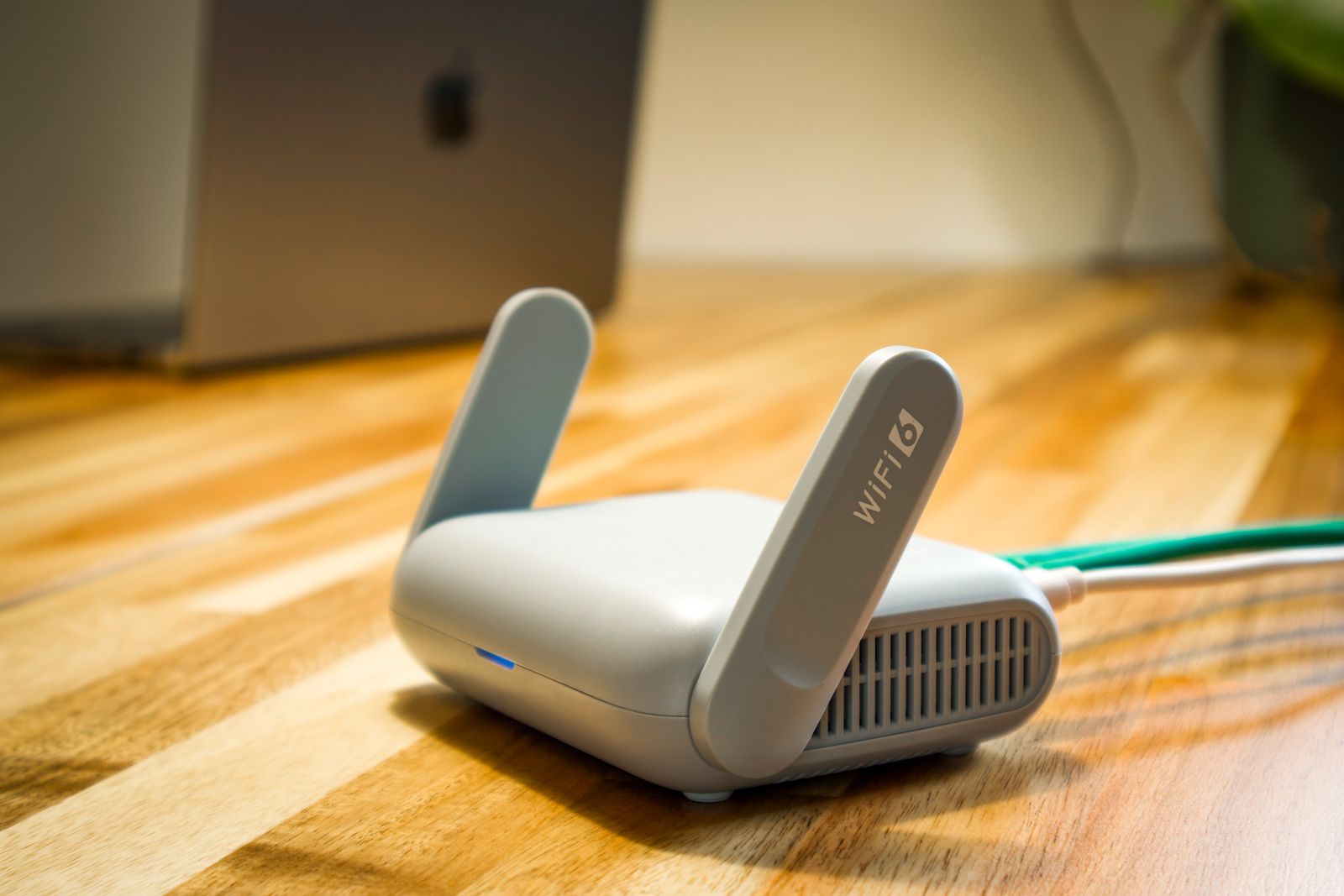
A modern Wi-Fi router for internet and home network troubleshooting

Internet routers, home networks, disconnections, slowness, weak coverage, disconnected devices, cables, powerline adapters, repeaters and stability. Remote diagnosis can help with an unstable connection, a router, a repeater, Wi-Fi, a device that will not connect or a network printer. Cables, measurements and replacement equipment require your hands-on checks or a local visit.

At home: €89 including tax per hour. Remotely: €29, €49 or €69 including tax, according to the agreed package. Travel: flat fee according to your town.

  • Diagnosis: checking routers, fibre, ADSL, Ethernet cables, Wi-Fi, speed, coverage, repeaters, powerline adapters, connected devices and weak spots.
  • Settings: network name, password, Wi-Fi security, placement, channels, connections, priorities and device configuration.
  • Tests: speed, stability, streaming, computers, smartphones, television, printers, consoles, cameras and the rooms concerned.

Internet and Wi-Fi services available

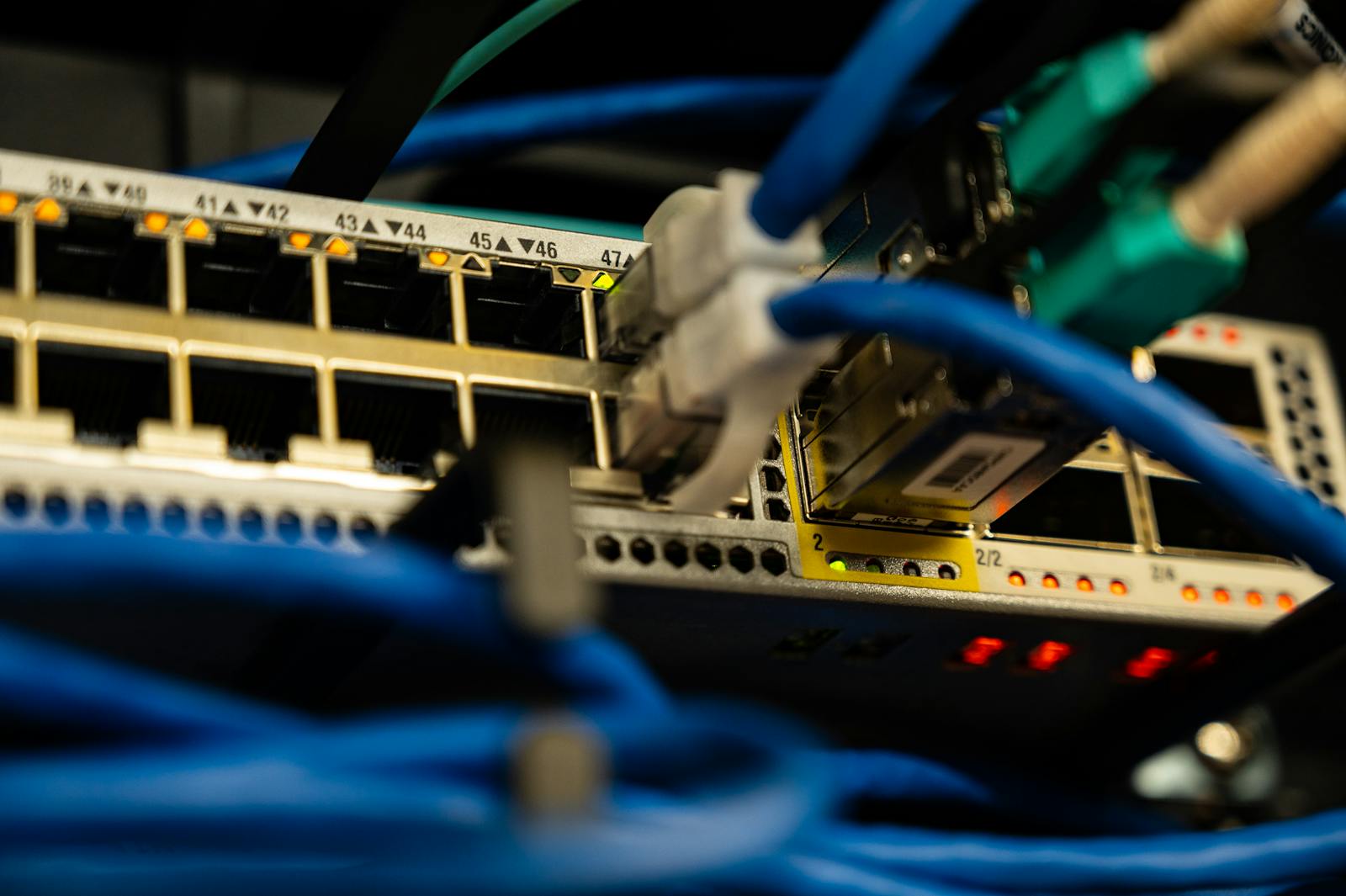
  • Internet router: a proper restart, indicator lights, connections, cables, fibre, ONT unit, TV decoder, telephone and Ethernet ports.
  • Home Wi-Fi: identifying dead spots, repositioning equipment, advice on repeaters or mesh systems, separating 2.4 GHz and 5 GHz where needed and optimising coverage.
  • Devices: reconnecting computers, smartphones, tablets, printers, televisions, cameras, alarms, consoles, voice assistants and connected devices.
  • Stability: reducing disconnections, addressing address conflicts, incorrect connections, interference, lost passwords, guest networks and Wi-Fi security.
  • Equipment advice: routers, repeaters, mesh systems, powerline adapters, switches, Ethernet cables, placement and a more reliable network layout.
Prepare this appointment
Starlink
Starlink satellite installation for a stable internet connection

Installation, commissioning, application, dish, obstructions, Wi-Fi, router, speed, stability and connected devices. Remote Starlink guidance can cover the application, network settings and connection checks. Physical installation, mounting and on-site work are separate from online assistance.

Commissioning: from €429 including tax. Optimisation: €89 including tax per hour. Travel: flat fee according to your town.

  • Installation: placement, obstruction checks, connections, Starlink app, account, Wi-Fi network and initial commissioning.
  • Optimisation: speed, stability, Wi-Fi coverage, router, positioning, cables and connected devices.
  • Validation: tests of browsing, streaming, computers, smartphones, television, consoles, cameras and actual everyday use.

Starlink services available

  • Getting started: unpacking, assembly, power, cable, router, app, account connection and creating the Wi-Fi network.
  • Placement: finding a suitable location, checking obstructions, orientation, support stability, cable routing and installation advice.
  • Network: connecting devices, extending Wi-Fi, secondary routers, Ethernet, switches, smart televisions, printers, cameras and home automation.
  • Optimisation: checking speed, latency, disconnections, restarts, updates, dish status and improved indoor coverage.
  • Guidance: explaining the app, alerts, statistics, tests, restarts, network name, password and good practices.
Prepare this appointment
Television, TV boxes and soundbars
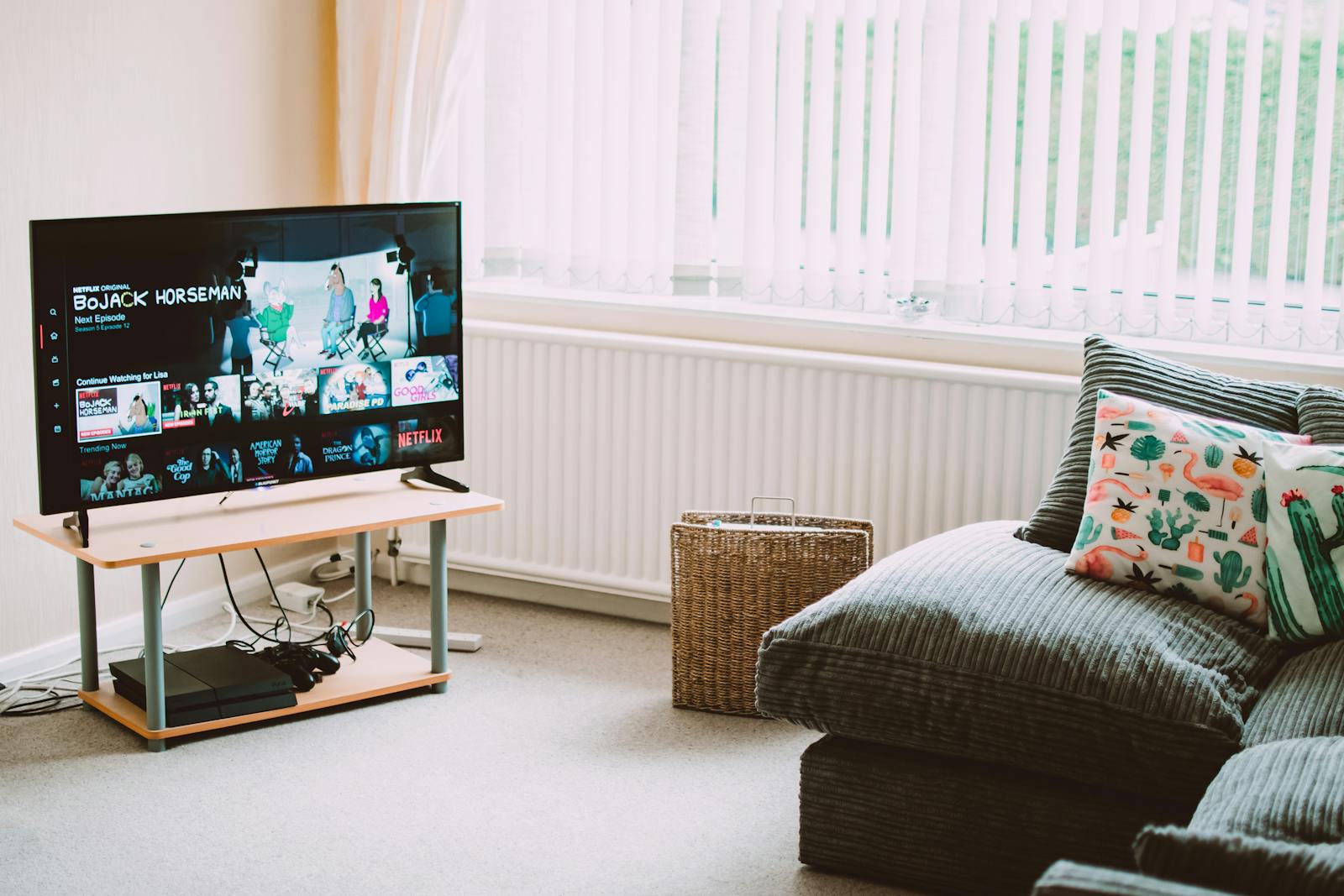
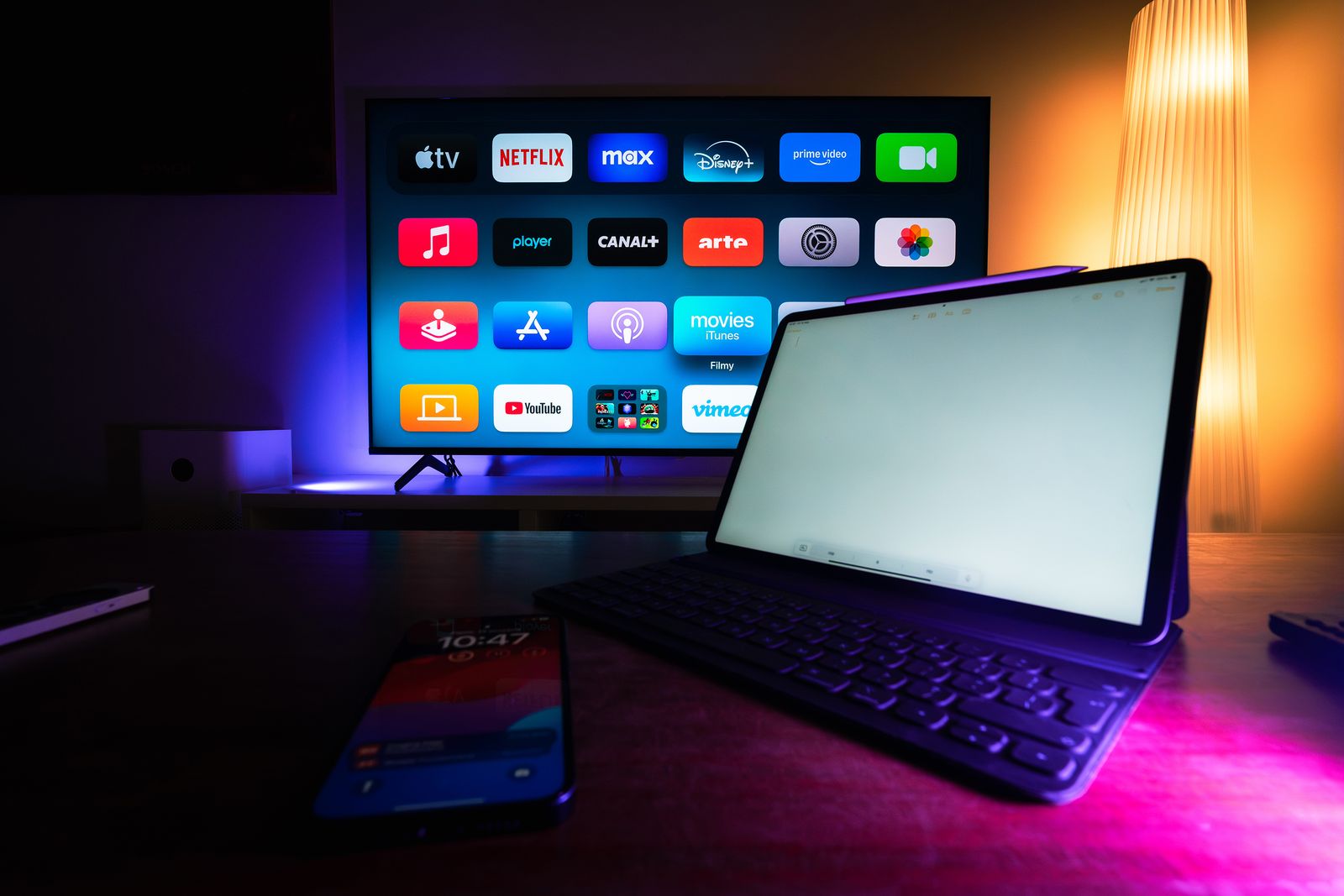
Smart television and multimedia installation for TV troubleshooting

HDMI sources, picture, sound, remote controls, provider TV boxes, streaming, accounts, applications and ease of use. I can guide Smart TV, TV box, soundbar, HDMI or Bluetooth sound settings and synchronisation between devices remotely. Diagnosis depends on what you can display and operate at home.

At home: €89 including tax per hour. Remotely: €29, €49 or €69 including tax, according to the agreed package. Travel: flat fee according to your town.

  • Connections: HDMI sources, TV boxes, consoles, soundbars, optical cables, ARC, eARC, Bluetooth and power.
  • Settings: picture, sound, correct source, remote controls, accounts, applications, Wi-Fi and TV updates.
  • Tests: channels, streaming, volume, TV sound, soundbars, picture, remote controls and launching your main activities.

Television and multimedia services available

  • Smart TV: Wi-Fi connection, Google, Samsung or LG account, Android TV, applications, updates, home screen and essential settings.
  • Provider TV box: HDMI source, TV decoder, remote control, channels, catch-up services, black screen, missing sound, restart and internet connection.
  • Soundbars: HDMI ARC, eARC, optical cable, Bluetooth, synchronisation, volume, remote control and audio-mode settings.
  • Streaming: Netflix, Prime Video, Disney+, YouTube, Molotov, myCanal, frozen applications, accounts, passwords and video quality.
  • Ease of use: simplifying sources, explaining the remote control, arranging connections, shortcuts and pointers to avoid incorrect operations.
Prepare this appointment
Android TV boxes, Fire TV and Chromecast
Android TV box, Fire TV, Chromecast and TV streaming setup

Streaming setup, HDMI connection, Wi-Fi, remote controls, accounts, applications, video quality, audio and stability. Remote guidance can cover Android TV, Fire TV, Chromecast, applications, account access, screen sharing and casting from a phone. Device compatibility is checked before the session.

At home: €89 including tax per hour. Remotely: €29, €49 or €69 including tax, according to the agreed package. Travel: flat fee according to your town.

  • Installation: proper connections, correct TV source, power, remote control, Wi-Fi, account and updates.
  • Configuration: applications, platforms, login details, video quality, audio, subtitles and display settings.
  • Validation: playback tests, quick launch, Wi-Fi stability, sound, picture and explanation of how to use it.

Streaming services available

  • Android TV boxes: configuring Android TV, Google Play, Google account, applications, Wi-Fi, remote control, updates and home-screen organisation.
  • Fire TV: Amazon account connection, applications, Wi-Fi, remote control, picture quality, volume control and quick startup.
  • Chromecast: pairing with a phone, screen casting, YouTube, Netflix, Wi-Fi, Google Home, HDMI source and casting tests.
  • Applications: installation, sign-in, sign-out, passwords, family accounts, updates, cleanup and removal of unused apps.
  • Stability: checking Wi-Fi, restarting, placement, interference, speed, picture dropouts, delayed sound and advice for smooth playback.
Prepare this appointment
Satellite, terrestrial TV, dishes and aerials
Satellite, terrestrial TV, dish and aerial settings

Signal, missing channels, tuning, sorting, source, cables, decoder, dish, aerial and TV configuration. Initial remote guidance can assess TV settings, terrestrial channels, a satellite receiver and error messages. Physically adjusting an aerial or dish requires on-site work.

At home: €89 including tax per hour. Remotely: €29, €49 or €69 including tax, according to the agreed package. Travel: flat fee according to your town.

  • Checks: TV source, aerial cable, HDMI, decoder, power, signal, settings and accessible connections.
  • Settings: channel tuning, sorting, favourites, language, subtitles, picture, sound and reception setup.
  • Verification: main channels, signal stability, remote control, correct source and guidance for everyday use.

Terrestrial TV, satellite and aerial services available

  • Terrestrial TV: automatic tuning, manual tuning where necessary, channel sorting, missing channels, numbering and restoring a logical order.
  • Satellite: checking the decoder, HDMI source, coaxial cable, power, card, signal menus and accessible settings.
  • Dishes and aerials: identifying symptoms, poor signal, dropouts, rain effects, connectors, alignment to be checked and advice before specialist work if necessary.
  • TV and decoder: source, black screen, no-signal message, remote control, connections, settings, soft reset and final tests.
  • Ease of use: arranging channels, shortcuts, explaining sources, correct operations and pointers for quickly restoring the right setup.
Prepare this appointment
Printers and scanners
Printer and scanner configuration and troubleshooting

Wi-Fi connections, USB cables, drivers, offline printers, print queues, missing scanners, smartphones, PCs, Macs and tests. Remote printer support can address drivers, a blocked print queue, an offline printer, Wi-Fi printing, scanning and scanner settings. Mechanical faults and consumables require a hardware check.

At home: €89 including tax per hour. Remotely: €29, €49 or €69 including tax, according to the agreed package. Travel: flat fee according to your town.

  • Installation: drivers, software, Wi-Fi, USB, computers, smartphones, tablets, scanners and basic settings.
  • Troubleshooting: offline printers, stuck queues, paper errors, cartridges, undetected scanners and unstable connections.
  • Tests: printing, scanning, PDF, email, smartphones, computers and verification of actual operation.

Printer and scanner services available

  • Connection: adding via Wi-Fi, USB, local network, IP address, shared printer, smartphone, tablet, Windows PC, Mac and Chromebook where compatible.
  • Drivers: installation, reinstallation, removal of old printers, manufacturer software, scanners, utilities, updates and recommended settings.
  • Problems: offline printers, documents stuck in the queue, blank prints, slowness, connection errors and changes to the Wi-Fi network.
  • Scanners: scanning to a computer, folder, PDF, email or mobile application, resolution, format and a test to retrieve the file.
  • Everyday use: explaining paper, cartridges, Wi-Fi, copy buttons, scanning, mobile printing, simple care and pointers to avoid common problems.
Prepare this appointment
Cameras, alarms and simple home automation
Wi-Fi cameras, alarms and simple connected-home equipment

Wi-Fi cameras, alarms, smart doorbells, plugs, bulbs, voice assistants, notifications, applications and phone access. Remote guidance can cover a camera application, a video doorbell, notifications, authorised access, accounts and settings for installed equipment. Installation work and specific requirements are assessed separately.

Installation: from €149 including tax. Optimisation: €89 including tax per hour. Travel: flat fee according to your town.

  • Installation: application, account, Wi-Fi, notifications, phone access, zones, sensitivity and connected devices.
  • Settings: cameras, doorbells, alarms, plugs, bulbs, routines, voice assistants and simple scenarios.
  • Tests: alerts, live video, history, Wi-Fi connection, detection, access sharing and actual operation.

Connected-home services available

  • Wi-Fi cameras: app pairing, network, live viewing, motion detection, notifications, storage, zones, sensitivity and access sharing.
  • Alarms: application, sensors, away or home modes, notifications, siren, remote control, code and trigger tests.
  • Smart doorbells: Wi-Fi, application, video, sound, notifications, detection, software setup and control from a smartphone.
  • Connected devices: plugs, bulbs, voice assistants, simple routines, schedules, scenes, rooms and control from a phone.
  • Stability: checking Wi-Fi, coverage, interference, power, updates, accounts, access rights and advice for a reliable installation.
Prepare this appointment
Email, accounts, security and scams
Securing email, accounts and passwords, and dealing with online scams

Gmail, Outlook, Orange, iCloud, passwords, recovery, two-factor authentication, fake alerts, compromised accounts and prevention. I can help with Outlook, Thunderbird, Gmail or other email settings, sending and receiving, attachments, synchronisation and account recovery through the provider’s procedures. I can also explain suspicious messages and assist with software cleanup, antivirus and two-factor authentication.

At home: €89 including tax per hour. Remotely: €29, €49 or €69 including tax, according to the agreed package. Security: settings included.

  • Accounts: recovery, passwords, two-factor authentication, recovery email, phone and security checks.
  • Email: configuration, sending, receiving, signatures, filters, spam, attachments, full inboxes and synchronisation.
  • Prevention: fake technical support, pop-ups, fraudulent text messages, suspicious links, dubious extensions and protection advice.

Security and account services available

  • Email: Gmail, Outlook, Orange, SFR, Free, iCloud, Yahoo, IMAP and SMTP configuration, email applications, browsers and send/receive tests.
  • Recovery: forgotten passwords, locked accounts, recovery email, phone number, verification codes and restoring organised access.
  • Security: two-factor authentication, strong passwords, password managers, connected devices, open sessions and login alerts.
  • Scams: fake Microsoft support, fake antivirus, parcel text messages, banking phishing, fake invoices, blocking pop-ups and checking before taking action.
  • Cleanup: extensions, intrusive notifications, browser permissions, suspicious programs, redirects, spam and privacy settings.
Prepare this appointment
Backups and transfers
Data backup and transfer between devices

Photos, documents, hard drives, USB sticks, cloud services, new computers, smartphones, tablets, sorting, copying and checks. Remotely, I can help organise and transfer documents or photos, configure backups, check OneDrive or iCloud synchronisation and prepare a change of computer. Data volumes, connection, access rights and drive condition are checked; recovery from damaged storage may need a specialist.

At home: €89 including tax per hour. Remotely: €29, €49 or €69 including tax, according to the agreed package. Special cases: quotation required.

  • Preparation: locating photos, documents, desktop files, downloads, email, bookmarks, cloud files and important folders.
  • Transfers: copying to a drive, USB stick, cloud service, new computer, smartphone, tablet or external storage.
  • Checks: verifying files, opening folders, consistency, duplicates and explaining the backup.

Backup and transfer services available

  • Computers: copying documents, pictures, videos, desktop files, bookmarks, profiles, administrative files and work folders, and organising before a transfer.
  • Smartphones: photos, videos, contacts, WhatsApp, cloud services, Google Photos, iCloud, copying to a computer and preparing a new device.
  • Cloud: Google Drive, OneDrive, iCloud, Dropbox, synchronisation, full storage, shared folders, automatic backups and file organisation.
  • External storage: hard drives, SSDs, USB sticks, formatting, creating folders, controlled copying, opening-file tests and storage advice.
  • Data security: a cautious approach, checks before deletion, duplicates, sensitive files, passwords and advice to prevent loss.
Prepare this appointment
Wired networks, powerline adapters, consoles and gaming
Ethernet wired networks, powerline adapters, consoles and gaming

Ethernet, powerline adapters, switches, consoles, gaming PCs, speed, ping, streaming, connections, home networks and stability. Remote guidance can help diagnose Ethernet, powerline adapters, shared printers, console connections and everyday network settings. Cable tests, connections and physical work require your participation or a local visit.

At home: €89 including tax per hour. Equipment advice: included. Travel: flat fee according to your town.

  • Network: checking Ethernet cables, powerline adapters, switches, routers, sockets, consoles, PCs, televisions and connected devices.
  • Gaming: checking speed, ping, stability, NAT, console connections, downloads, Wi-Fi or wired connections and placement.
  • Organisation: tidy connections, simple labels, stability testing and pointers to identify cables.

Network and gaming services available

  • Ethernet: connecting routers, switches, computers, televisions, consoles, RJ45 cables, wall sockets and adapters, speed tests and basic connection checks.
  • Powerline adapters: pairing units, placement, avoiding extension sockets, speed, stability, indicator lights, reset and testing in the relevant rooms.
  • Consoles: PlayStation, Xbox, Nintendo Switch, NAT, Wi-Fi, Ethernet, slow downloads, disconnections, accounts, updates and TV connections.
  • Gaming PCs: network connection, ping, latency, Wi-Fi, Ethernet, routers, speed, streaming, Discord, updates and stability during use.
  • Installation: cable organisation, equipment selection, switches, routers, repeaters, mesh, powerline adapters, purchase advice and a simple home-network plan.
Prepare this appointment
Website creation
Website creation with local SEO, Google Search Console and rich-result checks

Business websites, home pages, services, pricing, contact, booking, local SEO, Google Search Console, Rich Results and visibility. Remote guidance can cover website content, settings, maintenance, search engine optimisation and digital tools. Scope, authorised access and a quotation are agreed before work starts.

Essential package: from €1,299 including tax. Hosting: 1 year included. Options: quotation required.

  • Structure: home, services, pricing, contact, testimonials, booking, FAQ, service areas and calls to action.
  • Local SEO: titles, descriptions, keywords, internal links, images, text, structured data and geographic information.
  • Google: Search Console, indexing, sitemap, monitoring, checks for supported rich results, LocalBusiness, Service, Offer and WebPage.

Website and SEO services available

  • Creation: a professional business website, mobile design, home page, services, pricing, contact, testimonials, FAQ, booking and a clear visitor journey.
  • SEO: optimising titles, meta descriptions, local keywords, text, image alt descriptions, internal links, service pages and geographic areas.
  • Structured data: LocalBusiness, Organization, WebSite, WebPage, Service, OfferCatalog, BreadcrumbList and items compatible with current Google features.
  • Google Search Console: connection, sitemap, URL inspection, indexing requests, performance monitoring, queries, pages, impressions, clicks and corrections.
  • Conversion: call buttons, booking, forms, Google reviews, reassurance, perceived speed, mobile readability and professional presentation.
Prepare this appointment
Advice on choosing and replacing your devices

Are you considering replacing a computer, printer, television or connected device? I help you choose according to your needs, budget and existing equipment, then prepare to get the new device up and running.

Assistance can cover a PC or Mac, printer, tablet, smartphone, television, audio equipment or a smart-home device. I explain what to check before choosing: existing software and accessories, available connections and network, required accounts and any recurring costs. You make the purchasing decision and choose your seller.

What I can help you prepare

  • Review your needs, the difficulties with the current device and whether replacement would be more useful than straightforward adjustments.
  • Compare relevant criteria, advantages and limitations: performance, ease of use, connections, compatibility and overall cost.
  • With your agreement, prepare possible backups and transfers of files, photos and settings, depending on available access and storage.
  • Help with setup, connections and learning to use the new device, remotely or on site according to the actions required.

The scope and cost of the assistance are confirmed before you agree, under the terms on the Pricing page. Devices, software and subscriptions are not included: you purchase them directly. Setup and transfers depend on compatibility, device condition, your authorised access and feasibility; a complete transfer cannot be guaranteed.

Prepare this appointment
Businesses and specific requests

Small-business needs, NAS, cloud services and backups: I assess the request before confirming the scope and quotation.

Prepare this appointment
Packages & professionalsSpecific packages and support for your business.
Individuals · Self-employed people · Small businesses

Your business deserves IT that works, too.

Tradespeople, shopkeepers, independent professionals and small businesses: one contact for your computers, communications and files, remotely when the situation allows.

Professionals working with computers and IT equipment

A conversation to prepare your support

Tradespeople, shopkeepers, independent professionals and small businesses: one contact for your computers, communications and files, remotely when the situation allows.

Describe my business needs

Computers and everyday work

PCs, Macs, software, updates, Outlook, Microsoft 365 and documents: get back to a usable working setup, with settings that suit your habits.

Connections, printers and files

Wi-Fi, wired networks, shared printers, scanning, transfers and backups: identify the cause of the problem and arrange the necessary checks.

An agreed scope for your business

NAS, cloud services, migration, needs specific to your business or a website project: I confirm authorised access, scope, pricing or a quotation before starting. The support offered does not include permanent availability.

Packages and specific services

Fixed-price packages for common needs. Their scope and any travel fee are confirmed before the visit.

Diagnosis and stabilisation package · €89 including tax

Computers, internet, television, smartphones, printers, email, accounts and priority settings.

  • Price: €89 including tax.
  • Indicative duration: approximately 1 hour.
  • Aim: identify the problem quickly, fix the essentials, stabilise everyday use and test the result.
  • Possible services: computer diagnosis, slowness, Wi-Fi, printers, email, accounts, smartphones, television, routers or a straightforward everyday problem.
  • Validation: final checks with you on the actual use concerned.
Comfort and optimisation package · €178 including tax

When several devices or settings make everyday use slow, confusing, unreliable or frustrating.

  • Price: €178 including tax.
  • Indicative duration: approximately 2 hours.
  • Aim: put things in order, improve responsiveness, clarify settings and simplify everyday use.
  • Possible services: software cleanup, organisation, backups, printers, accounts, email, Wi-Fi, smartphones, tablets and ease-of-use settings.
  • Validation: checks on your computer, smartphone, email, browsing, printing and main everyday tasks.
Connected-home clarity package · €267 including tax

Wi-Fi, television, routers, streaming, printers, cameras, alarms, connected devices and home networks.

  • Price: €267 including tax.
  • Indicative duration: approximately 3 hours.
  • Aim: make your digital home more stable, better organised and easier to use.
  • Possible services: internet routers, Wi-Fi, repeaters, powerline adapters, smart televisions, streaming, printers, cameras, alarms, home automation and connected devices.
  • Validation: checks of speed, Wi-Fi coverage, streaming, printing, notifications and the devices’ actual operation.
Remote support session · €29, €49 or €69 including tax

Quick, direct, clear and secure, available throughout France when the problem allows.

  • Remote packages: €29 including tax for an agreed quick repair that resolves the issue during the first ten minutes or, for example, in fifteen to twenty minutes; €49 up to thirty minutes; €69 up to one hour. These package prices are not added together.
  • Extension: €17.25 including tax per fifteen minutes, after your agreement and a new payment.
  • Aim: remotely resolve a software, account, email, printer, browser, settings, security or configuration issue.
  • Control: you can see everything during the session and can stop it at any time.
  • Validation: the result is tested with you before the session ends.
Your support, explainedRemote help, each step and a clearly explained quotation.
How it works

I guide you, step by step.

From the initial discussion to the final checks, we proceed with clear explanations and a price agreed upfront.

01

Your appointment

Describe your problem and choose a time slot.

02

We test the connection, free of charge.

Diagnosis and connection testing alone are free for up to ten minutes. We check that remote support is possible before any repair.

03

Your payment

I confirm the appropriate package before your agreement: €29, €49 or €69 including tax, depending on the support required. I personally send you a secure Stancer link for the agreed amount. Before payment, every remote control session is fully ended and IP Assistant Remote Control is closed, not merely paused. You pay privately on the Stancer page, without screen sharing.

04

Your support session

After payment is confirmed, I open a new remote connection only with your agreement and begin your support.

Before my visit or remote session

A clear quotation, before we begin.

I explain the scope of my support and the price before we begin. Any additional service requires your prior agreement.

A document being handed to a client after discussing the quotation
Your town, your support options

Remote or at home?

Find your town and postcode. At-home appointments are offered in the eligible 04 / 05 area; elsewhere, remote support remains possible depending on your needs.

National directory: INSEE COG 2026 and official La Poste postcodes, reference dated 22 October 2026. Distances between town centres are indicative straight-line distances; the travel fee is confirmed before the visit.

Travel fees, agreed upfront.

Up to 15 km€0
Over 15 to 30 km€19
Over 30 to 45 km€39
Over 45 to 60 km€59

Indicative geographic distances between town centres, measured in a straight line. These are not exact driving distances. The fee is confirmed before travel.

An initial conversation to move forward with confidence.

I take time to listen and check what can be done. You remain in control of your device and understand the terms of the support.

Call · 07 64 19 77 90
Prepare your appointmentPractical answers before your support session.

Before your appointment

When should I pay?

Diagnosis and connection testing alone are free for up to ten minutes. An agreed quick repair that resolves the issue during the first ten minutes or, for example, in fifteen to twenty minutes costs €29 including tax; troubleshooting up to thirty minutes costs €49; up to one hour costs €69. These package prices are not added together. I confirm the amount and scope before your agreement and payment. I personally send you the secure Stancer link for the agreed amount. Every remote session is fully ended and IP Assistant Remote Control is closed before payment, not merely paused. You pay privately; any new remote connection requires your agreement.

How should I prepare for my appointment?

Describe the problem and equipment when booking. Keep your booking confirmation. Before the session, we agree on the terms and the information needed for your assistance.

Are extensions automatic?

Each fifteen-minute extension is offered at €17.25 including tax. It requires your agreement and a new payment through a secure Stancer link, after the remote session has fully ended and the software has been closed.

What if my problem needs an on-site visit?

I explain this during the initial discussion. An at-home visit can be considered in the eligible 04 / 05 area around Sisteron.

Can I request more specialised assistance?

Yes. For complex projects or specific business needs, I assess your request and confirm the scope and quotation.

Choose your appointment.

Describe your request, equipment and whether you need remote or at-home assistance. We confirm feasibility and terms together before the session.

Your selected request

Your service and its description prepare your booking. You can edit them before confirming and copy the other details of your request.

Choose my time slot

The usual calendar is available below. Your appointment details are provided when booking. Diagnosis and connection testing alone are free for up to ten minutes; the repair package and payment arrangements are confirmed before your agreement.

Open the calendar in a new tab

If the calendar does not display correctly, open it in a new tab or call 07 64 19 77 90.

Weather in Sisteron

Loading the weather…

Indicative weather data: Open-Meteo

Time in France

Europe/Paris · Local time with seasonal clock changes

IP Depannage Informatique

Ioan-Monel PEPELEA · Sole trader (EI)
SIREN : 801 385 907 · 11 rue de la Mission, 04200 Sisteron
Registered and administrative address only · No public reception.

Content protection

The name, logo and original creative work of IP Depannage Informatique are protected within the limits of the law. Statutory rights and exceptions, and the licences applicable to open-source components and third-party content, continue to apply in full. This protection does not remove any right to use, copy, modify or redistribute granted by an open-source licence.